问题描述#
在 Windows Server 2012 R2 上,有时会遇到 RDP 无法连接的问题:
The remote session was disconnected because there are no Remote Desktop client access licenses available for this computer.
Please contact the server administrator.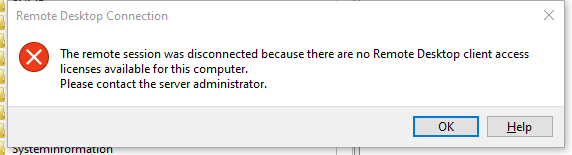
解决方法#
如果你有 vSphere Web Client 或其他方式可以登录服务器控制台,可以尝试以下步骤:
打开注册表编辑器 在命令行或运行窗口输入
regedit.exe,回车。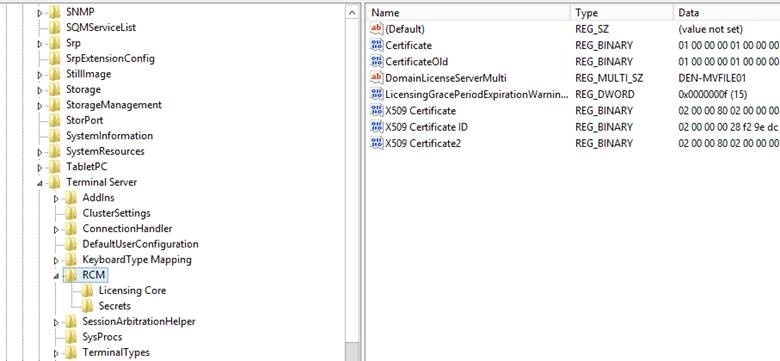
删除以下键值
LicensingGracePeriodLicensingGracePeriodExpirationWarningDays
处理删除失败的情况 如果出现
unable to delete all specified values错误,需要先修改该键的权限。 可参考 YouTube 视频教程。重启系统 如果仍无法连接,重启后再尝试。
注意事项#
- 在我的环境中,大约每 90~120 天 就会再次遇到此问题,这并不是最终解决方案。
- 如果你有更好的永久性解决办法,欢迎分享。
特别感谢 Bill K. 提供上述解决方案。