Sometimes you don’t want Jenkins pipeline failed for a specific error occurs. so you can use catchError to catch error and update stage or build result to SUCCESSFUL or UNSTABLE or FAILURE (if you want)
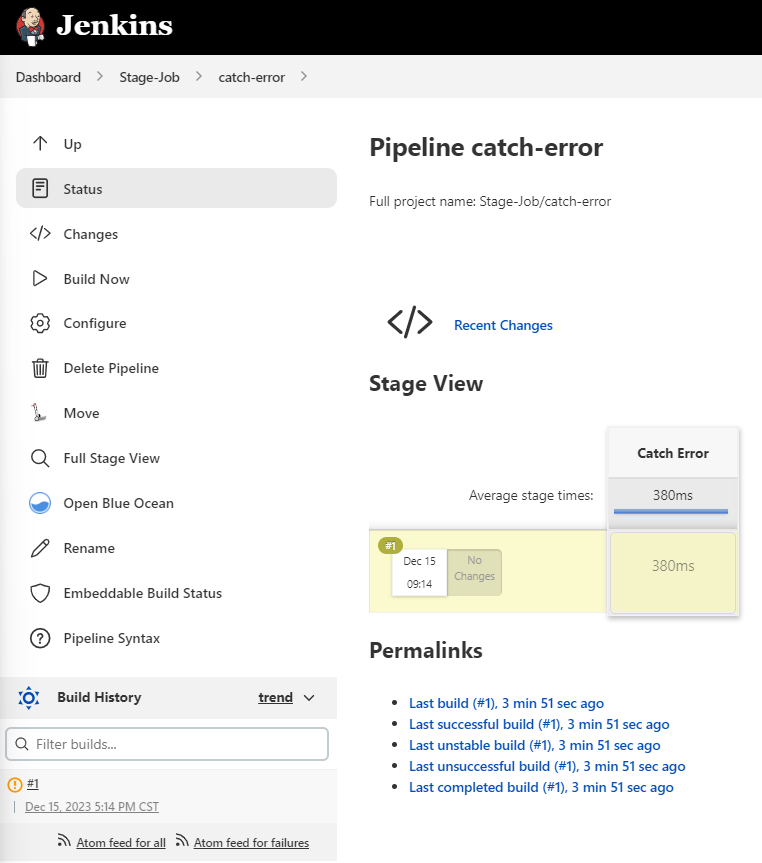
Here is the Jenkinsfile of pipeline
pipeline {
    agent { node { label 'linux' } }

    stages {
        stage('Catch Error') {
            steps {
                catchError(buildResult: 'UNSTABLE', stageResult: 'UNSTABLE', message: 'abc: command not found') {
                    sh "abc"
                }
            }
        }
    }
}
Here is the output of pipeline
17:14:07  [Pipeline] Start of Pipeline
17:14:08  [Pipeline] node
17:14:08  Running on linux in /agent/workspace/Stage-Job/catch-error
17:14:08  [Pipeline] {
17:14:08  [Pipeline] stage
17:14:08  [Pipeline] { (Catch Error)
17:14:08  [Pipeline] catchError
17:14:08  [Pipeline] {
17:14:08  [Pipeline] sh
17:14:08  + abc
17:14:08  /agent/workspace/Stage-Job/catch-error@tmp/durable-303b03ca/script.sh: line 1: abc: command not found
17:14:08  [Pipeline] }
17:14:08  ERROR: abc: command not found
17:14:08  ERROR: script returned exit code 127
17:14:08  [Pipeline] // catchError
17:14:08  [Pipeline] }
17:14:08  [Pipeline] // stage
17:14:08  [Pipeline] }
17:14:08  [Pipeline] // node
17:14:08  [Pipeline] End of Pipeline
17:14:08  Finished: UNSTABLE
转载本站文章请注明作者和出处,请勿用于任何商业用途。欢迎关注公众号「DevOps攻城狮」